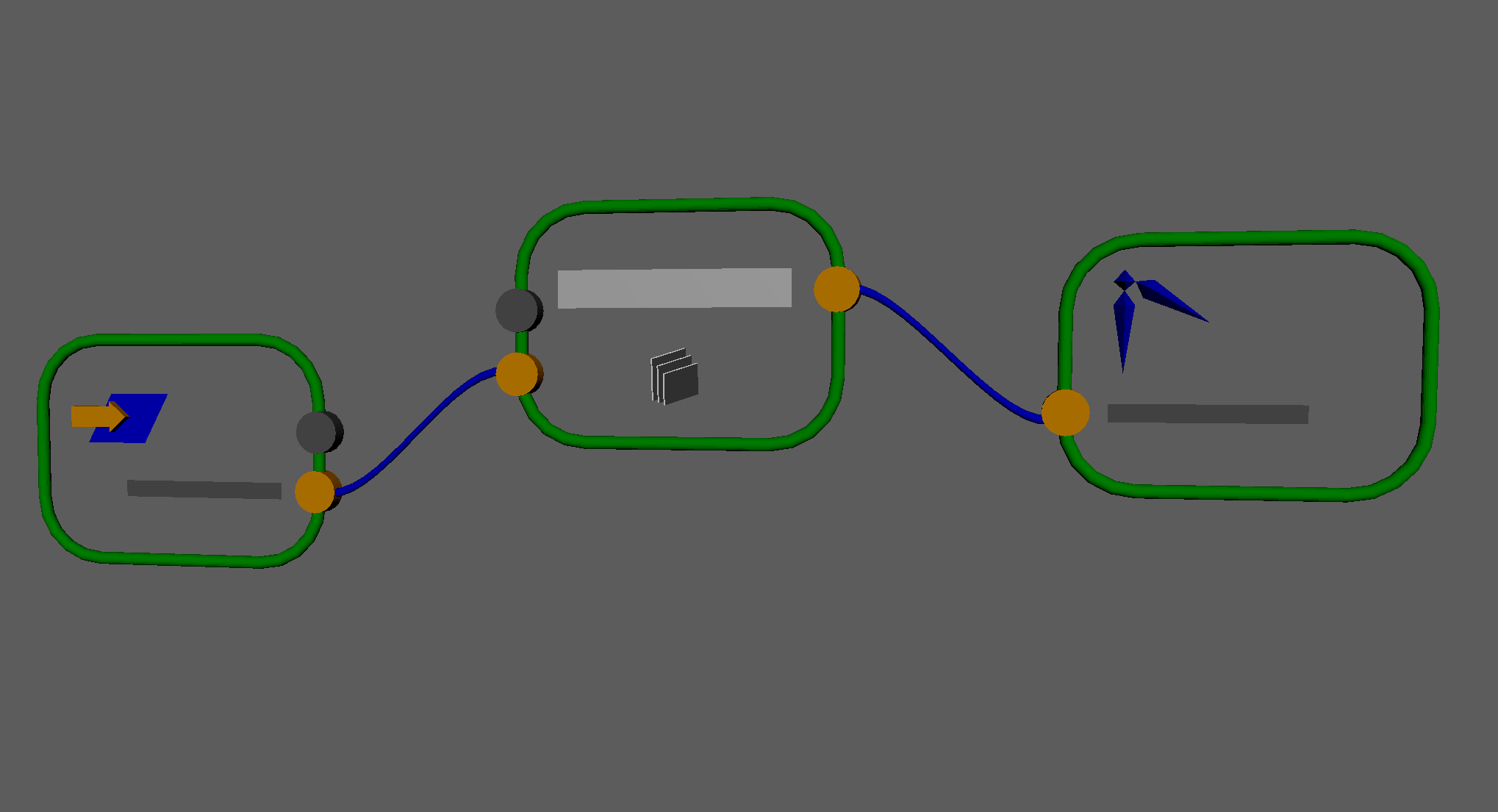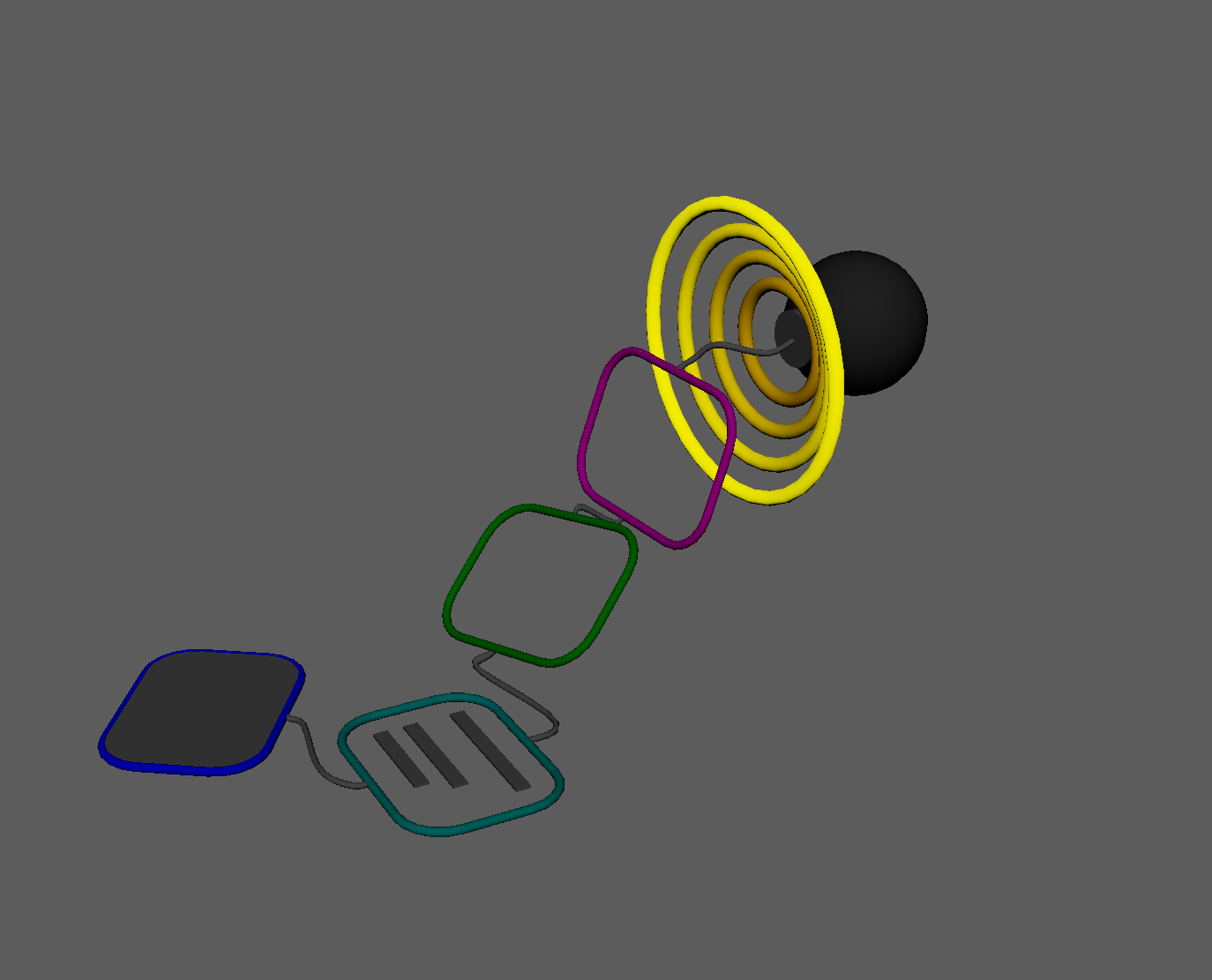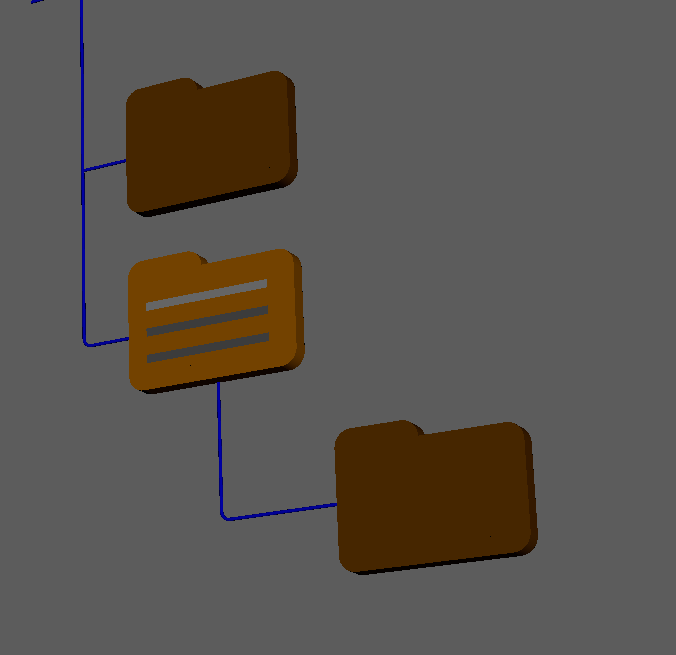
modules in this chapter:
base.py
hub.py
joint.py
skeleton.py
shape.py
control.py
Building on basic core functions, I started creating classes for building the rigging components and later working with rig systems in future tools.
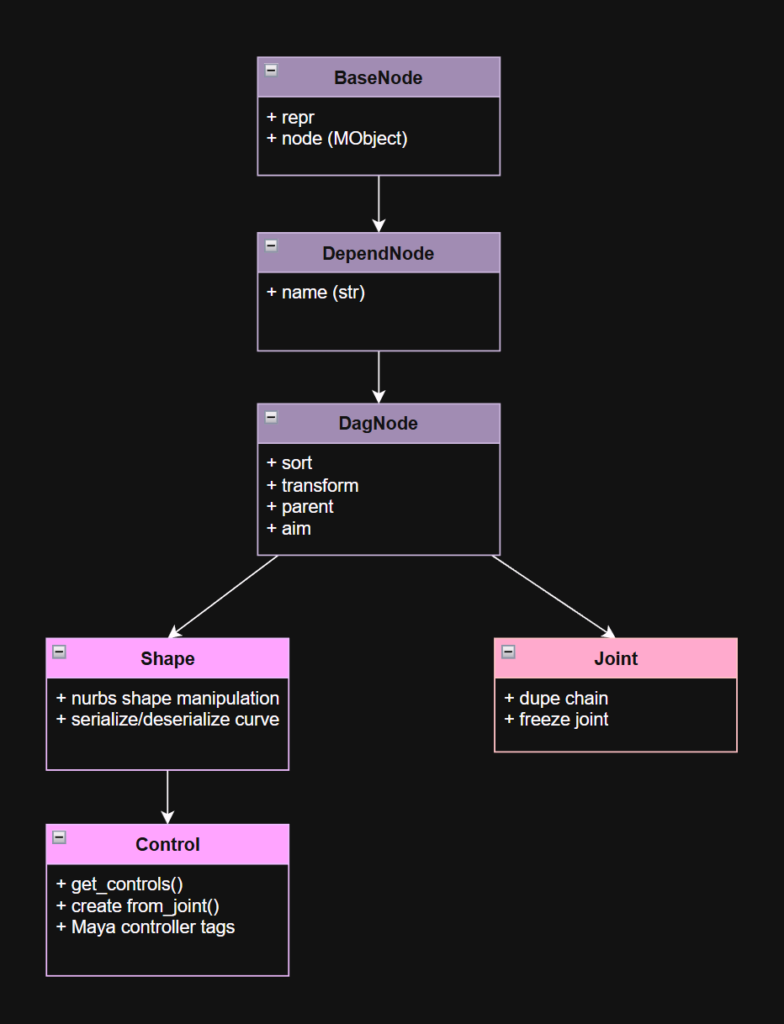
Maya’s node hierarchy looks like this:
- └► node – base dependency class, includes message attribute and a few state attributes.
Base
Mirroring the node hierarchy within Maya, I created classes with increasing levels of specialization.
BaseNode
repr and instantiation
class BaseNode(object):
    """abstract maya node, equivalent to maya's 'node' type"""
    _rig_sys = 'cats'

    def __init__(self, node: (str | om2.MObject | BaseType) = None):
        if isinstance(node, om2.MObject):
            self.node = node
        elif isinstance(node, str):
            self.node = mobject(node)


        if not hasattr(self, 'node') or (self.node is None):
            raise RuntimeError(
                f"instantiation error: {self.__class__.__name__}({node})")

    def __repr__(self):
        return f"{self.__class__.__name__}('{pathname(self.node)}')"

    def __str__(self):
        return pathname(self.node)

    def __new__(cls, *args, **kwargs):
        if args and hasattr(args[0], '_rig_sys'):
            return args[0]
        else:
            return super().__new__(cls)
The BaseNode.node property is the object being wrapped as an API MObject. The class constructor takes an MObject, or the node name as a string, or another instance of BaseNode (or its descendant classes).
I think as a result of the classes being defined in different modules, multiple import statements across those modules, and the re-import system I’m using during development, Python was getting confused about which classes were instances/descendants of other classes, and isinstance() was not working as expected. As a workaround, I added the “_rig_sys” class property so it could identify other classes within its hierarchy.
DependNode
- The DependNode class adds name handling to the BaseNode. It’s the equivalent of Maya’s “node” object. Dependency nodes in Maya are connectable, but aren’t represented in the parent-child hierarchy (DAG).
- https://help.autodesk.com/cloudhelp/2026/ENU/Maya-Tech-Docs/Nodes/index.html
class DependNode(BaseNode):
    """wrapper for maya dependNode type"""
    def __init__(self,
                 node: (str | om2.MObject) = None):

        super().__init__(node)

    @property
    def name(self) -> str:
        return pathname(self.node)

    @name.setter
    def name(self, value):
        current_name = pathname(self.node)
        if (current_name != value) and (self.node.hasFn(om2.MFn.kDependencyNode)):
            obj_fn = om2.MFnDependencyNode(self.node)
            obj_fn.setName(value)

    def set_name(self, value):
        self.name = value

    @property
    def full_path(self) -> str:
        return pathname(self.node, full_path=True)
Just like in Maya’s node hierarchy, Dependency Nodes subclass from a Base Node. In this case, we’re only adding naming functionality (get name and set name) at this level.
DagNode
DagNodes introduce Transform and Position manipulation, parenting, aim and align.
class DagNode(DependNode):
    """wrapper for maya dagNode type"""
DagNode is where all of the magic happens. We add:
- Transforms. The world space matrix of the Maya node can be set and retrieved with an instance property.
    @property
    def transform(self) -> om2.MMatrix:
        if self.node.hasFn(om2.MFn.kTransform):
            return om2.MMatrix(
                       cmds.xform(self.name,
                                  query=True,
                                  matrix=True,
                                  worldSpace=True))
        raise RuntimeError(f'[{self.name}] not a transform')

    @transform.setter
    def transform(self, value: (list | om2.MMatrix)):
        if self.node.hasFn(om2.MFn.kTransform):
            #TODO: api
            cmds.xform(self.name, matrix=value, worldSpace=True)
        else:
raise RuntimeError(f'[{self.name}] not a transform')- And convenience methods for world position:
    @property
    def world_position(self) -> tuple:
        return (self.transform[12], self.transform[13], self.transform[14])

    @world_position.setter
    def world_position(self, value: (list | tuple)):
        cmds.xform(self.name, translation=value, worldSpace=True)

    @staticmethod
    def _get_position(
            value: (str | om2.MObject | list | om2.MVector | om2.MMatrix)
        ):
        if isinstance(value, (om2.MObject, str)):
            return DagNode(value).world_position
        elif isinstance(value, om2.MMatrix):
            return list(value)[12:15]
        else:
return list(value)- Parenting. DagNodes can exist in a hierarchy, so we add properties and methods to re-parent nodes.
@property
def parent(self) -> om2.MObject:
    return om2.MFnDagNode(self.node).parent()

@parent.setter
def parent(self, value: (str | om2.MObject | None)):
    m = self.transform

    if value is None:
        world = om2.MItDag(om2.MItDag.kDepthFirst, om2.MFn.kInvalid).root()
        om2.MFnDagNode(self.parent).removeChild(self.node)
        om2.MFnDagNode(world).addChild(self.node,
                                       index=om2.MFnDagNode.kNextPos,
                                       keepExistingParents=False)

    else:
        parent_obj = mobject(value)
        parent_fn = om2.MFnDagNode(parent_obj)
        om2.MFnDagNode(self.parent).removeChild(self.node)
        parent_fn.addChild(self.node,
                           index=om2.MFnDagNode.kNextPos,
                           keepExistingParents=False)

    self.transform = m

def set_parent(self, value: (str | om2.MObject)):
    self.parent = value
Before you set a parent in OpenMaya, it looks like you have to remove it from its previous parent first, otherwise I was getting RuntimeError: (kInvalidParameter): Unexpected Internal Failure
In order to parent to the world, I found this trick that gets the MObject of the scene root by using the Dag Iterator (MItDag).
- A transform-matching convenience function:
  def align_to(self, target: (str | om2.MObject) = None):
        _target = DagNode(target)
self.transform = _target.transform- As mentioned in the previous section about the node module, this DagNode class has a built-in aim() method.
The first few lines set up which axes we’ll build our matrix around.
   def aim(self,
           target: (str | om2.MObject | list | om2.MVector | om2.MMatrix) = None,
           up: (str | om2.MObject | list | om2.MVector | om2.MMatrix) = None,
           up_type: UpType = UpType.object,
           target_axis: (str | list) = 'x',
           up_axis: (str | list) = 'y'):


        target_pos = self._get_position(target)
        wp = self.world_position
        if up_type == UpType.object:
            up_pos = self._get_position(up)
        elif up_type == UpType.vector:
            up_pos = om2.MVector(wp) + om2.MVector(up)

        axis_primary = Axis(target_axis)
        axis_secondary = Axis(up_axis)
Next we’ll point those primary and secondary axes at the target and up target.
    # get axis vectors
    vector_aim = (om2.MVector(target_pos) - om2.MVector(wp)).normal()
    if axis_primary.is_negative():
        vector_aim = -vector_aim

    vector_up_initial = (om2.MVector(up_pos) - om2.MVector(wp)).normal()
    if axis_secondary.is_negative():
        vector_up_initial = -vector_up_initial
We calculate the cross product of the aim and up vectors, then adjust the up vector so that it’s orthogonal to the aim and cross product.
If the cross product is calculated with the incorrect operand order, then the matrix will have a negative scale. If the up vector flipped to the opposite direction, then we multiply it by -1 to fix it.
The ^ (carat) operator calculates the cross-product between two OpenMaya MVectors.
The * (asterisk/star) operator calculates the dot-product of two OpenMaya MVectors.
    vector_cross = (vector_aim ^ vector_up_initial).normal()
    # fix up vector so axes are orthogonal
    vector_up = (vector_aim ^ vector_cross).normal()
    # fix direction if up axis flips
    if (vector_up * vector_up_initial) < 0:
        vector_up = -vector_up
Now we have our three axis vectors. Let’s initialize an empty matrix with no axes but we can fill the position of the matrix back to this object’s original position since it’s not moving in space, just rotating to point to a target.
We fill in the values for the aim in the primary axis and the up in the secondary axis.
    # build new matrix
    m_list = ([0.0] * 12) + list(wp) + [1]
    m_list[(axis_primary.to_int() * 4):((axis_primary.to_int() * 4) + 3)] = list(vector_aim)
    m_list[(axis_secondary.to_int() * 4):((axis_secondary.to_int() * 4) + 3)] = list(vector_up)
Here we figure out which axis is the cross by using our Axis class and Python sets to find the axis which isn’t either the primary or secondary. Then we assign the values for the cross vector into the matrix list.
    # which axis is cross axis?
    cross_axis = list(set([0,1,2]) - set([axis_primary.to_int(), axis_secondary.to_int()]))[0]
    m_list[(cross_axis * 4):((cross_axis * 4) + 3)] = list(vector_cross)
Finally, we do another check to make sure the matrix isn’t negative, and if it is we flip the cross vector.
Then we use the DagNode class’s transform property to assign the matrix to this node.
    # flip third vector if matrix isn't positive
    if om2.MMatrix(m_list).det4x4() < 0:
        m_list[(cross_axis * 4):((cross_axis * 4) + 3)] = list(-vector_cross)

self.transform = m_list- DagNodes include “rich comparison” special methods for sorting. If you have a list of DagNodes (or subclasses), you can use Python’s built-in sorting to sort them by hierarchy.
def __eq__(self, other) -> bool:
    return self.node == other.node

def __lt__(self, other) -> bool:
    descendents = cmds.listRelatives(
                       pathname(self.node, full_path=True),
                       allDescendents=True,
                       fullPath=True) or []
    other_path = pathname(other.node, full_path=True)
    return (other_path in descendents)

def __gt__(self, other) -> bool:
    other_descendents = cmds.listRelatives(
                            pathname(other.node,full_path=True),
                            allDescendents=True,
                            fullPath=True) or []
    self_path = pathname(self.node, full_path=True)
    return (self_path in other_descendents)
DagNode sort example:
cmds.select('joint3', 'joint5', 'joint1', 'joint4', 'joint2')
dags = [DagNode(d) for d in cmds.ls(sl=1)]
# Result: [DagNode('joint3'), DagNode('joint5'), DagNode('joint1'), DagNode('joint4'), DagNode('joint2')]

sorted(dags)
# Result: [DagNode('joint1'), DagNode('joint2'), DagNode('joint3'), DagNode('joint4'), DagNode('joint5')]
I’ve also used Python object Rich Comparisons to sort by dependency as well. For example, you want to sort a set of controls by dependency when setting poses. I used a combination of cmds.listHistory and cmds.listRelatives to create the sort keys.
Hub
Message hub for connecting and referencing Rig Members.
The message connections that the hub maintains are currently organized into skeleton, controls, and export skeleton (in case it’s different than the layout skeleton).
class HubNodeType(Enum):
    skeleton = "skeleton"
    export_skeleton = "export_skeleton"
    controls = "controls"
Originally, I was going to make the hub a hidden Maya “network” node, but then I realized I could just add the data I intended to put on that hub to an empty transform node at the top of the rig hierarchy. Even though it’s technically a DagNode according to Maya, since I’m going to lock the transform channels of this node, I have this class derive from DependNode.
class Hub(DependNode):
    """rig hub wrapper. The rig Hub is the transform node in world space and parent
       of all rig controls"""
    def __init__(self, node: (str | om2.MObject) = None):
        super().__init__(node)
The hub includes several static and class methods:
- Check if the supplied node is a Rig Hub:
@staticmethod
def is_hub(node: (str | om2.MObject)) -> bool:
    """test if supplied node is a rig hub"""
    node_name = pathname(node)
    return (cmds.attributeQuery(HUB_ID_ATTR,
            node=node_name,
exists=True) and cmds.getAttr(f'{node_name}.{HUB_ID_ATTR}'))- Get the rig hub from a supplied Joint or Control:
@staticmethod
def get_node_hub(node: (str | om2.MObject)) -> (str | om2.MObject, None):
    """get rig hub from any descendant"""
    node_name = pathname(node)
    msg_connections = cmds.listConnections(f'{node_name}.message',
                             source=False,
                             destination=True,
                             plugs=False,
                             type='transform') or []
    for connection in msg_connections:
        if Hub.is_hub(connection):
            return connection
return None- Initialize a Maya node as the Rig Hub:
@staticmethod
def setup_hub(node: (str | om2.MObject)) -> None:
    """tag maya node as a rig hub"""
    name = pathname(node)
    if not cmds.attributeQuery(HUB_ID_ATTR, node=name, exists=True):
        cmds.addAttr(name, ln=HUB_ID_ATTR, attributeType="bool")
    cmds.setAttr(f'{name}.{HUB_ID_ATTR}', True)

    if not cmds.attributeQuery(HUB_NAME_ATTR, node=name, exists=True):
        cmds.addAttr(name, ln=HUB_NAME_ATTR, dataType="string")
    cmds.setAttr(f'{name}.{HUB_NAME_ATTR}', hub_name, type="string")

    for hub_type in HubNodeType:
        if not cmds.attributeQuery(hub_type.value, node=name, exists=True):
            cmds.addAttr(name,
                         ln=hub_type.value,
                         attributeType='message',
                         multi=True,
                         indexMatters=False)

    if not cmds.lockNode(name, query=True, lock=True):
        cmds.lockNode(name, lock=True)

@staticmethod
def _create(name: str) -> HubType:
    """create and set up rig hub"""
    hub = cmds.createNode("transform", name=name)
    Hub.setup_hub(hub)
    return Hub(hub)

@classmethod
def create(cls: type[HubType], name: str = None) -> HubType | None:
    """create and set up rig hub"""
    hub_name = (name or DEFAULT_HUB_NAME)

    if not cmds.objExists(hub_name):
        return cls._create(hub_name)

raise RuntimeError(f"Hub name '{hub_name}' already exists")- Get All Rig Hubs from the scene
@classmethod
def get(cls: type[HubType], namespace: str = None) -> list[HubType]:
    """get all rig hubs in maya scene"""
    name_arg = f'{namespace}:*' if namespace is not None else "*"
    nodes = cmds.ls(name_arg, typ='transform')
    hub_nodes = [cls(node) for node in nodes if cls.is_hub(node)]
return hub_nodes- Get a Rig Hub by character name:
def hub_name(self) -> str:
    if cmds.attributeQuery(HUB_NAME_ATTR, node=self.name, exists=True):
        return cmds.getAttr(f'{self.name}.{HUB_NAME_ATTR}')
    return self.name

@classmethod
def get_by_name(cls: type[HubType],
                name: str,
                namespace: str = None) -> HubType | None:
    """return rig hub wrapped in this class"""
    hubs = cls.get(namespace=namespace)
    for hub in hubs:
        if hub.hub_name() == name:
            return hub
return None- Manage adding and retrieving nodes from rig’s Hub
   def add_node(self,
                node: (str | om2.MObject | list),
                node_type: HubNodeType = HubNodeType.controls):
        """attach rig control or joint to this hub"""
        nodes = node if isinstance(node, list) else [node]
        for node in nodes:
            node_name = pathname(node)
            msg_connection = self.get_node_hub(node_name)
            if msg_connection:
                raise RuntimeError(
                  f"Node '{node_name}' already attached to hub {msg_connection}")
            cmds.connectAttr(f'{node_name}.message',
                             f'{self.name}.{node_type.value}', nextAvailable=True)

    def get_nodes(self, node_type: (HubNodeType | None) = None) -> list[str]:
        """return a list of nodes that are part of this rig"""
        nodes = []
        if node_type is None:
            for nt in HubNodeType:
                nodes += cmds.listConnections(f'{self.name}.{nt.value}') or []
        else:
            nodes = cmds.listConnections(f'{self.name}.{node_type.value}') or []

        return nodes
Joint and Skeleton
Joint subclasses from DagNode, so it carries the name methods from DependNode, and the transformation and parenting methods from DagNode, and then builds on top of that.
class Joint(DagNode):
    """wrapper and factory for a maya joint node"""
    def __init__(self,
                 node: (str | om2.MObject | JointType) = None,
                 transform: (list | om2.MMatrix) = None,
                 parent: (str | om2.MObject) = None,
                 joint_offset: (list | om2.MVector) = None):
        super().__init__(node=node, transform=transform, parent=parent)
        if joint_offset is not None:
            self.joint_orient = joint_offset
Joints have a special jointOrient offset value, so the Joint class has a getter and setter for that.
   @property
    def joint_orient(self) -> om2.MVector:
        return om2.MVector(cmds.getAttr(f"{self.name}.jointOrient")[0])

    @joint_orient.setter
    def joint_orient(self, value: (list | om2.MVector)):
        cmds.setAttr(f"{self.name}.jointOrient", *(list(value)))
And a method to “bake” the rotation into the jointOrient (to zero out the joint’s transform channels)
   def freeze(self):
        """bake joint rotation channels into jointOrient values and zero out
           rotation"""
        rot = om2.MTransformationMatrix(
                  om2.MMatrix(
                    cmds.xform(self.name,
                               query=True,
                               matrix=True,
                               objectSpace=True)
                    )
                  ).rotation()
        jo = self.joint_orient
        jo.x += math.degrees(rot.x)
        jo.y += math.degrees(rot.y)
        jo.z += math.degrees(rot.z)

        cmds.setAttr(f'{self.name}.rotate', 0, 0, 0)
        self.joint_orient = list(jo)
A special constructor method that creates a joint in the scene and returns a class instance of Joint
   @classmethod
    def create(cls, name, transform=None, parent=None, zero=False):
        node_name = cmds.createNode('joint', name=name)
        obj = cls(node_name)

        if transform is not None:
            obj.transform = transform

        if parent is not None:
            obj.parent = parent

        if zero:
            obj.freeze()

        return obj
I also added a method in the Joint class to duplicate a chain (acquired from node.get_chain()).
@classmethod
def duplicate_chain(cls,
                    chain: list[str | om2.MObject],
                    parent: (str | om2.MObject),
                    prefix: str = 'jx',
                    suffix: str = "") -> list[JointType]:
    new_chain = []
    last_parent = mobject(parent)

    for obj in chain:
        mobj = mobject(obj)
        obj_type = om2.MFnDependencyNode(mobj).typeId
        obj_name = Name(obj)
        joint_name = obj_name.change(
                         base=obj_name.base+suffix,
                         node_type=prefix,
                         iterator=obj_name.iterator).build()
        joint = om2.MFnDagNode().create(
                  obj_type,
                  name=joint_name,
                  parent=last_parent)
        set_world_matrix(joint, mobj)
        joint_cls = cls(joint)
        joint_cls.freeze()
        last_parent = joint
        new_chain.append(joint_cls)

    return new_chain
One way to annotate a class method returning an instance of itself is to use the typing.TypeVar object. Apparently there’s a better way of doing it is to use typing.Self, so I may go back and fix this in the future.
from typing import TypeVar
JointType = TypeVar("JointType", bound="Joint")
Joint Examples
from CATS.classes.joint import Joint
from CATS.core.name import Name

# create 3 joints with the Joint class create() method
j0 = Joint.create(name=Name(base="newJoint",
                            side='c',
                            node_type='jx',
                            iterator='01').build(),
                  transform=om2.MMatrix(),
                  parent=None,
                  zero=False)
j1 = Joint.create(name=Name(base="newJoint",
                      side='c',
                      node_type='jx',
                      iterator='02'),
                  transform=om2.MMatrix(),
                  parent=j0,
                  zero=False)
j2 = Joint.create(name=Name(base="newJoint",
                            side='c',
                            node_type='jx',
                            iterator='03').build(),
                  transform=om2.MMatrix([1,0,0,0, 0,1,0,0, 0,0,1,0, 0,1,0,1]),
                  parent=j1,
                  zero=False)

# collect the joints from the scene, to show the class wrapping existing scene nodes
joints = [Joint(j) for j in reversed(cmds.ls('*newJoint*'))]
# Result: [Joint('jx_c_newJoint02'), Joint('jx_c_newJoint01'), Joint('jx_c_newJoint')]

# in-place sort
joints.sort()
# Result: [Joint('jx_c_newJoint'), Joint('jx_c_newJoint01'), Joint('jx_c_newJoint02')]

# move second joint
joints[1].transform = om2.MMatrix([1,0,0,0, 0,1,0,0, 0,0,1,0, 1,0,1,1])

# re-parent third joint to be a sibling of the second joint
joints[2].parent = joints[0].node

# re-parent second joint to world
joints[1].parent = None
Skeleton
The Skeleton class doesn’t subclass from DagNode, since it’s a collection of Joints and doesn’t need any transformation functionality or a name in the Maya scene. I didn’t write much in the way of management for an instance of a Skeleton class, for example adding and removing joints from the skeleton. At this point, I’m thinking it’ll be more of an “ephemeral” object, and if I need to update an existing instance of a Skeleton, I’ll just re-run the collect() method to update the list of joints it contains.
class Skeleton(object):
    """container object for a set of Joint wrappers"""
    def __init__(self, node: (str|om2.MObject|Joint|None) = None):
        self.root = self.get_root(node)
        self._skeleton = self.collect(self.root) if self.root is not None else None
The constructor for Skeleton takes any joint node (string, MObject, or Joint instance) and finds the root joint of its hierarchy, and then populates the private _skeleton property with the contents of the whole skeleton.
   def collect(self, root: (str | om2.MObject)) -> list[Joint]:
        """returns all joint descendants of supplied joint"""
        joint = Joint(root)
        collection = [joint]
        children = cmds.listRelatives(joint.name,
                                      children=True,
                                      fullPath=True) or []
        for child in children:
            if cmds.objectType(child, isType="joint"):
                collection += self.collect(child)
        return collection

    @staticmethod
    def get_root(node: (str | om2.MObject)) -> om2.MObject or None:
        """get the skeleton root from the supplied joint"""
        node = pathname(node)
        if node is not None:
            last_parent = cmds.ls(pathname(node), long=True)[0]
            node_path = [p for p in last_parent.split("|") if len(p)]
            if len(node_path) == 1:
                return node

            for index in reversed(range(len(node_path))):
                if len(node_path[index]) == 0:
                    continue

                current_path = '|'.join(node_path[:index])
                if ((not current_path) or
                      (not cmds.objExists(current_path)) or
                      (not cmds.objectType(current_path, isType='joint'))):
                    return mobject(last_parent)
                last_parent = current_path
        return None
Skeleton has an add_joint() method that creates and appends a new Joint to the Skeleton. I haven’t used this method in the project, but it seemed like something it would need eventually. I plan to create a tool for creating and modifying layout skeletons, so that’s when I would utilize this method.
   def add_joint(self,
                 name: str = None,
                 parent: om2.MObject = None,
                 direction: typing.Iterable = (1,0,0),
                 distance: float = 10.0,
                 hub: (Hub | None) = None) -> Joint:
        """creates and adds a new joint to this skeleton"""
For completeness, there is a method that adds existing joints to an existing Skeleton collection.
   def append_joint(self, name: (str | om2.MObject | Joint)):
        """add an existing joint to this skeleton collection"""
        joint = Joint(name)
        current_skel = [j.name for j in self._skeleton]
        if joint.name not in current_skel:
            self._skeleton.append(joint)
        else:
            Logger().warning(f'[Skeleton] joint "{name}" already in skeleton')
One other method I added to the Skeleton class is for forcing a list of Joints into a single plane. Three points define a plane, but often you’ll have chains that consist of 4 or more joints that you want to snap to a plane.
The current iteration has two modes. If snap_after is True, the plane will be defined by the first three joints supplied in joint_list. Everything after the third joint will be snapped to the plane.
If snap_after is False, the plane is defined by the first and last joints in joint_list, and the average position of all of the other joints in the list. Then it snaps all of the joints to the average position.
The cool thing about this method is you can see some of the functionality in the class being used: sort, aim, transform.
@staticmethod
def planify(joint_list: typing.Iterable[Joint | om2.MObject | str],
            target_axis: (str | typing.Iterable[float|int]) = 'x',
            up_axis: (str | typing.Iterable[float|int]) = 'y',
            snap_after: bool = True):
    """
    force supplied joints to conform to a plane.
    if snap_after is True, then the first 3 joints define the plane
    and everything after the third joint snaps to that plane

    if snap_after is False, the plane is defined by first, last,
    and average of other joints in list and everything between
    first and last gets snapped to their average
    """
    joints = [Joint(j) for j in joint_list]
    joints.sort()

    if len(joints) <= 3:
        raise RuntimeError("planify requires at least 4 joints")

    if snap_after:
        # first 3 joints define the plane and everything
        # after the third joint snaps to that plane
        queue = joints[3:]
        plane = [om2.MVector(joints[0].world_position),
                 om2.MVector(joints[1].world_position),
                 om2.MVector(joints[2].world_position)]

    else:
        # the mid_pos is the average of joints other than first and last.
        all_mid_pos = [om2.MVector(j.world_position) for j in joints[1:-1]]
        sum_mid_pos = om2.MVector()
        for mp in all_mid_pos:
            sum_mid_pos += mp
        mid_pos = sum_mid_pos / len(all_mid_pos)

        queue = joints[1:-1]
        plane = [om2.MVector(joints[0].world_position),
                 om2.MVector(joints[-1].world_position),
                 om2.MVector(mid_pos)]

    # unparent joints
    joint_children = {}
    for joint in joints:
        children = cmds.listRelatives(pathname(joint.node),
                                      children=True) or []
        joint_children[pathname(joint.node)] = children
        for child in children:
            cmds.parent(child, world=True)

    # project joints to averaged plane
    for joint in queue:
        joint_pos = project_point_on_plane(
                      om2.MVector(joint.world_position),
                      plane)
        joint.world_position = joint_pos

    # aim
    for index, joint in enumerate(joints[:-1]):
        joint.aim(target=joints[index+1].node,
                  up=get_plane_normal(plane),
                  up_type=UpType.vector,
                  target_axis=target_axis,
                  up_axis=up_axis)

    joints[-1].transform = (list(joints[-2].transform)[:12] +
                            list(joints[-1].world_position) +
                            [1])

    # reparent joints
    for joint, children in joint_children.items():
        if len(children):
            cmds.parent(*(children+[joint]))
I thought I had written code to manually mirror joints in Maya, but maybe I was thinking about my experience at Zenimax Online, where I built the rigging system in MaxScript in 3ds max. Maya has a convenient mirrorJoints function in MEL and cmds, and it seems to work well enough. I’ll do more testing with it when I build an editor tool to create and modify layout skeletons.
@staticmethod
def mirror(node: (str | om2.MObject | Joint),
           mirror_plane: MirrorPlane = MirrorPlane.xy,
           mirror_function: MirrorFunction = MirrorFunction.behavior
    ) -> typing.List[Joint]:
    """mirror joints in a skeleton starting from node"""

    orig_name = Name(node)
    kwargs: dict[str, typing.Any] = {mirror_plane.value: True,
                                     mirror_function.value: True}

    if orig_name.side == 'r':
        kwargs['searchReplace'] = ['r', 'l']
    elif orig_name.side == 'l':
        kwargs['searchReplace'] = ['l', 'r']

    mirrored_joints = cmds.mirrorJoint(pathname(node), **kwargs)

    return [Joint(j) for j in mirrored_joints]
Shapes
The Shape class doesn’t actually represent a Maya shape node, but a transform that has a nurbsCurve shape as a child. For Controls, I thought it made sense to separate the management of the control shapes from the actual business of manipulating the rig.
The Shape class contains methods that deal with creating and modifying nurbsCurve shapes.
class Shape(DagNode):
    """
    Wrapper and factory for maya nodes that contain shapes.
    Parent class of Control
    """
    def __init__(self,
                 node: (str | om2.MObject) = None,
                 transform: (list | om2.MMatrix) = None,
                 parent: (str | om2.MObject) = None,
                 shape: (DefaultShape | dict) = None):

        super().__init__(node=node, transform=transform, parent=parent)
        if shape:
            self.set_shape(shape)
Shape contains methods for serializing and deserializing shape data from JSON. This serialize() method is a weird mix of API and cmds calls, and probably pretty slow, but control shapes generally are pretty small so it’s still a fraction of a second to serialize a 30 cv curve.
   def _serialize(self):
        """serialize shape data"""
        shape = self.get_shape()
        shape_dict = {}
        if shape and (cmds.objectType(shape, isAType='nurbsCurve')):
            curve_mobject = mobject(shape)
            curve_fn = om2.MFnNurbsCurve(curve_mobject)
            knots = curve_fn.knots()
            shape_dict['form'] = curve_fn.form
            shape_dict['degree'] = curve_fn.degree
            shape_dict['spans'] = curve_fn.numSpans
            shape_dict['knots'] = list(knots)
            shape_dict['cv'] = []

            for cv in (cmds.ls((shape + '.cv[*]'), fl=1)):
                wpos = cmds.xform(cv, q=1, ws=1, t=1)
                lpos = cmds.xform(cv, q=1, ws=0, t=1)
                idx = cv.split('[')[1].strip(']')
                shape_dict['cv'].append({'index': int(idx),
                                         'wpos': wpos,
                                         'lpos': lpos})

        return shape_dict
The deserialize function is the inconsistently-named _build() method. It takes as input a JSON dict that was exported from the _serialize() method, deletes any existing shape data on the Maya node that the current Shape class is wrapping, and builds a new curve from the data.
   def _build(self,
              shape_data: dict,
              shape_color: typing.Iterable = (0.5, 0.5, 0.5)):
        """create shape node from shape_data"""
        if shape_data:
            existing = cmds.listRelatives(self.name,
                                          children=True,
                                          type='nurbsCurve')
            if existing is not None:
                cmds.delete(existing)

            # build shape
            cv_cnt = len(shape_data.get('cv', []))
            degree = shape_data.get('degree')
            form = shape_data.get('form')

            points = [om2.MPoint()] * cv_cnt
            for cv in shape_data.get('cv', []):
                idx = cv['index']
                pos = cv.get('wpos', cv.get('pos'))
                points[idx] = om2.MPoint(pos)

            cmds.select(clear=True)

            knots = shape_data.get('knots', [])
            mfn_curve = om2.MFnNurbsCurve()
            # cvs, knots, degree, form, is2D, rational, parent=kNullObj
            mfn_curve.create(points,
                             knots,
                             degree,
                             form,
                             False,
                             False,
                             parent=self.node)
            self.fix_shape_names(pathname(self.node))

            cmds.select(clear=True)
Shape contains methods for loading and saving the serialized data to a json file.
   def save_shape_data(self, shape_path: (str | DefaultShape)):
        """export serialized shape data to shape_path"""
        ...

   def load_shape_data(self, shape_path: (str | DefaultShape)):
        """load serialized shape data from shape_path"""
        ...
There’s a get_shape method to return the nurbsCurve shape node name. Remember, the Shape class is wrapping the transform of the shape.
   def get_shape(self) -> (str | None):
        """return shape node under wrapped transform"""
        shapes = cmds.listRelatives(pathname(self.node), shapes=True) or []
        if len(shapes) > 0:
            return shapes[0]
        return None
I have a staticmethod in the class with the path to the default shape templates. Should it be in the core.data module?
   @staticmethod
    def default_shape_path(shape: DefaultShape):
        """directory path where default rig shapes exist"""
        shape_dir = os.path.normpath(os.path.join(Data.data_path(), 'shapes'))
        shape_path = os.path.join(shape_dir, shape.name + ".json")
        return shape_path
As someone who is nitpicky about clean scenes and node naming, the class contains a method to force a transform’s shape names to fit the default Maya convention, where transform1′s shape has a name in the format transformShape1.
   @staticmethod
    def fix_shape_names(transform):
        """
        conforms shape names under this transform
        so they follow maya's default naming format: 'transformShapeXX'
        """
        shapes = cmds.listRelatives(pathname(transform), shapes=True) or []
        transform_name = Name(transform)
        for shape in shapes:
            new_name = Name(base=transform_name.base+"Shape",
                            node_type=transform_name.node_type,
                            side=transform_name.side,
                            iterator=transform_name.iterator)
            old_name = new_name.build()
            while (new_name.build()!=shape) and cmds.objExists(new_name.build()):
                new_name.next_iterator()
                if new_name.build() == old_name:
                    break
            cmds.rename(shape, new_name.build())
The serialize/deserialize needs to be updated to support shape colors, but the class already includes a method to set shape colors.
   def set_shape_color(self, color_value: typing.Iterable[float]):
        """set shape node override color in maya RGB format"""
        shape = self.get_shape()
        cmds.setAttr("{}.overrideEnabled".format(shape), True)
        cmds.setAttr("{}.overrideRGBColors".format(shape), True)
        cmds.setAttr("{}.overrideColorRGB".format(shape), *color_value)
The rest of the methods in the Shape class are for manipulating the shape’s transformation relative to the parent transform.
Shape.scale_shape([1,4,1]) will scale the current shape by 4x in the object’s Y axis.
Shape.stretch_shape(target) will extend the shape toward the target. For example, a thigh control starts as a cube, and stretch_shape(knee) will extend the box in the X axis down to the knee while keeping the other axes unchanged.
   def _scale_shape(self, shape: str, scale_factor: list[float]):
        """set relative shape scale"""

   def scale_shape(self, scale_factor: list[float]):
        """set relative scale of this Shape"""

   def stretch_shape(self, target: (str | om2.MObject)):
        """absolute scale of shape in single axis to stretch to target transform"""
        shape = self.get_shape()
        scale_vector = (om2.MVector(DagNode(target).world_position) -
                        om2.MVector(self.world_position))
        scale_axis = Axis.get_closest_index(scale_vector, self.transform)
        scale_factor = scale_vector * self.transform.inverse()

        scale_factor = [1 if i != scale_axis else v
                        for i,v in enumerate(scale_factor)]
        self._scale_shape(shape, scale_factor)
The set_shape_offset method moves the curve’s cv’s in world space. I’m using it in the Foot component to adjust controls to be visible outside of the foot geometry.
   def set_shape_offset(self, shape, offset: list[float]):
        """set a translation offset of the shape's points"""
Next I wrote the orient_shape method, which assumes the shape is built so that it’s centered in X and Z but is 0 to 1 in the Y axis. This method will rotate the cv’s so that the 0-1 in local Y points toward the target object.
   def orient_shape(self, target: (str | om2.MObject | None)):
        """relative transformation of shape points to match target transform"""
Example:
c = Control.create(name='jnt_c_b01', parent=None, shape=DefaultShape.box)
joint = cmds.createNode('joint', name='jx_c_a01')
cmds.xform(joint, t=[2,3,1])
c.orient_shape(joint)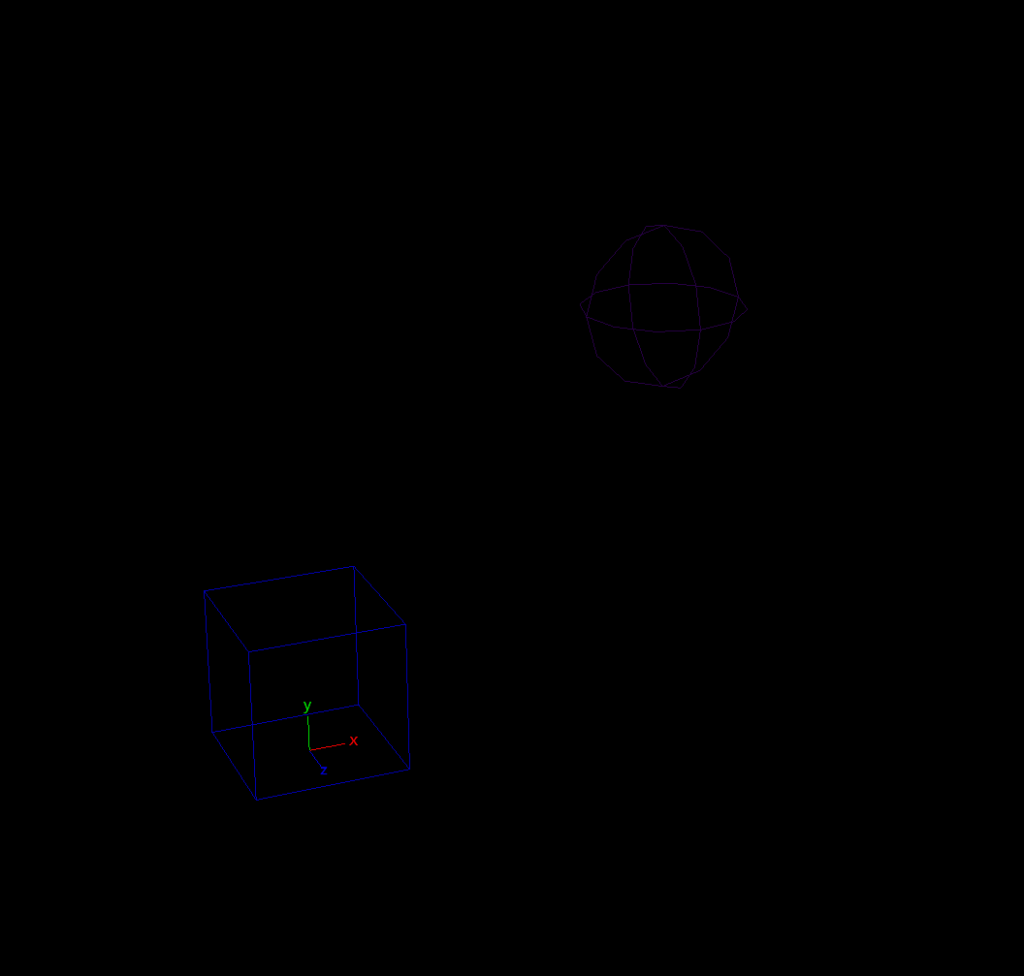 | 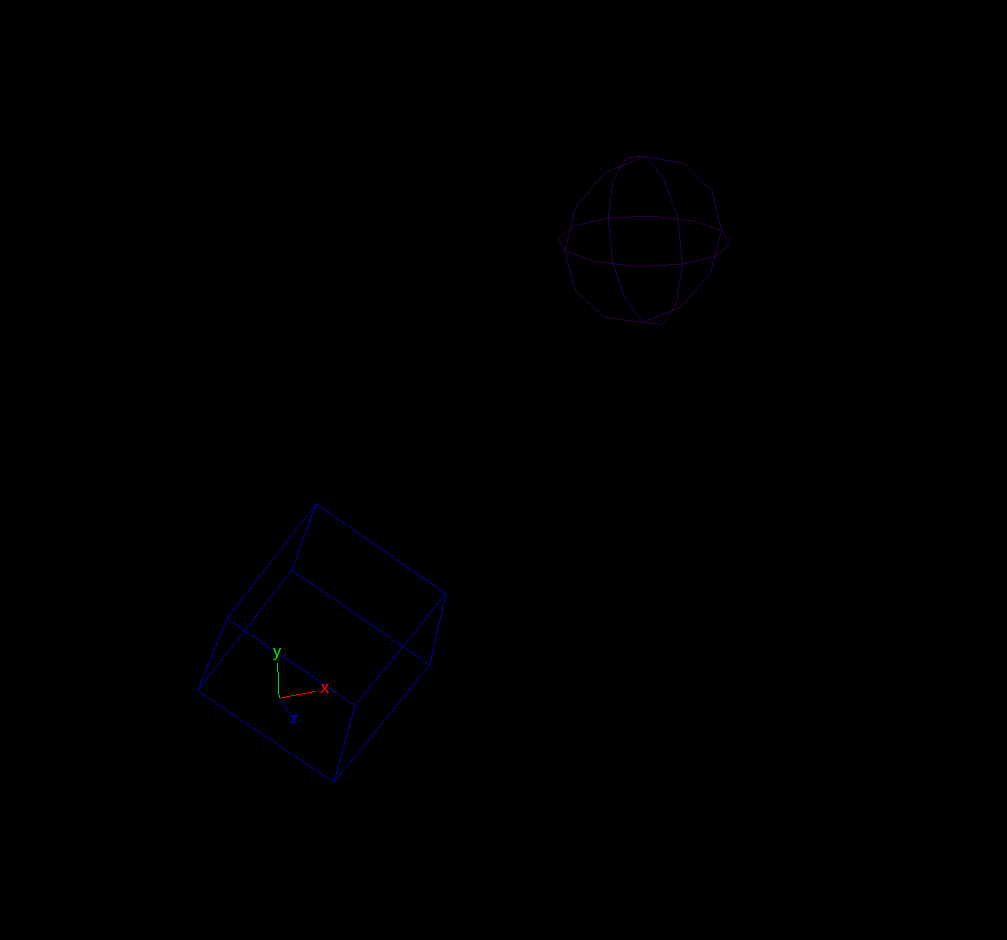 |
The rotate_angle_axis() method appeared to work initially, and it’s still being used in one place in the Foot component. It didn’t work in other places so I just did the rotations the hard way with matrices and used the set_shape_matrix() method instead.
   def rotate_angle_axis(self, angle: float, axis: list[float]):
        """relative rotation of shape points by angle/axis convention"""
        quat = om2.MQuaternion(math.radians(angle), om2.MVector(axis).normal())
        m = list(quat.asMatrix())[0:12] + list(self.world_position) + [1]
        self.set_shape_matrix(self.get_shape(), om2.MMatrix(m), local=False)
For most of the fine-tuning of control shapes I used this set_shape_matrix() method.
   def set_shape_matrix(self, shape, matrix, local=False):
        """set relative transform of shape points"""
        mfn_curve = om2.MFnNurbsCurve(mobject(shape))
        curve_cvs = mfn_curve.cvPositions()

        for index, cv in enumerate(curve_cvs):
            if local:
                new_cv = om2.MPoint(om2.MVector(cv) * matrix)
            else:
                new_cv = om2.MPoint(om2.MVector(cv) *
                                    self.transform *
                                    matrix *
                                    self.transform.inverse())
            cmds.setAttr(f"{shape}.cv[{index}]", *list(new_cv))
Calls to set_shape_matrix() look like this:
    tm = om2.MTransformationMatrix()
    tm.setRotation(om2.MEulerRotation(0, 0, math.radians(90)))
    matrix = tm.asMatrix()
    ankle_ctrl.set_shape_matrix(ankle_ctrl.get_shape(), matrix, local=True)
Which is how I wanted the rotate_angle_axis() method to work. Ideally this would have been done like this:
ankle_ctrl.rotate_angle_axis(90, [0,0,1])Note: After a lot of trial and error, I discovered that MVector * MMatrix gives different results from MPoint * MMatrix. I had assumed they would be equivalent, but testing seemed to prove otherwise.
API 2.0 lets you cast a 3 element list directly into MVectors, but not directly into MPoint. But you can cast a list[3] into MVector, and the MVector into an MPoint.
Controls
The Control class subclasses from Shape, so it inherits all of the functionality of the Shape class and adds some additional methods specific for rig controls.
class Control(Shape):
    """
    wrapper and factory for rig control,
    contains transform, shape, and any metadata
    """
    def __init__(self,
                 node: (str | om2.MObject) = None,
                 transform: (list | om2.MMatrix) = None,
                 parent: (str | om2.MObject) = None,
                 shape: (DefaultShape | dict) = None):

        super().__init__(node=node,
                         transform=transform,
                         parent=parent,
                         shape=shape)
        freeze(self.node)
There are two methods for creating new Controls.
- The create() method will build a new control with specified shape and transform and attach it to the supplied Hub.
@classmethod
def create(cls: Type[ControlType],
           name: str = None,
           parent: (str | om2.MObject) = None,
           hub: Hub = None,
           transform: (list | om2.MMatrix) = None,
           shape: (DefaultShape | dict) = None) -> ControlType:
    """create a new rig Control and attach it to a Hub"""
...- The from_joint() method will create a new Control and match the transform to an existing joint in the scene and optionally attach it to the joint using connect.connect.
   @classmethod
   def from_joint(cls: Type[ControlType],
                   joint: (str | om2.MObject | Joint, None) = None,
                   name: (str | None) = None,
                   parent: (str | om2.MObject) = None,
                   hub: (str | om2.MObject | Hub) = None,
                   shape: (DefaultShape | dict) = None,
                   attach: bool = True) -> ControlType:
        """create a new rig Control from an existing joint"""
...- Yet another way of typehinting a class from within itself.
from typing import Type, TypeVar


ControlType = TypeVar("ControlType", bound="Control")
Type[ControlType]
The Control class contains a classmethod to get a list of Controls from a hub with a specified search string.
   @classmethod
   def get_controls(cls: Type[ControlType],
                    name: (str | om2.MObject) = None,
                    hub: (str | om2.MObject) = None) -> list[ControlType]:
        """get a list of Controls from the Scene, by Hub and/or by search string"""
The Control class has a method to tag Controls with Maya’s Controller Tag functionality. It’s not currently used anywhere in this project, but it seems like something that should be implemented either when building the rig or as an additional component in the build process after all of the controls are constructed.
   def controller_tag(self,
                      parent: (ControlType | str | om2.MObject | None) = None):
        """attach this Control to a Maya controller tag object"""
        controller_node = cmds.listConnections(f'{self.name}.message',
                                               type='controller')
        if not controller_node:
            cmds.controller(self.name)
        if isinstance(parent, (ControlType, Control)):
            cmds.controller(self.name, parent.name, edit=True, parent=True)
        elif isinstance(parent, (str | om2.MObject)):
            cmds.controller(self.name, pathname(parent), edit=True, parent=True)
There are some other modules in the classes directory that are more for building rig components and not a class that I would use outside of the build process. I’ll elaborate on that second type when I talk about the rig components they’re associated with.
Classes Summary
These Classes provide some shortcuts when building the actual rig Components, which we’ll talk about in the next chapter. When building tooling later around managing the rig data or building animation tools, I hope to come back to these Classes and continue to use and refine them.
In an effort to keep the Component classes simpler, I off-boarded some of their functionality into modules I placed in the Classes subpackage. But they’re different than these Maya node convenience wrappers, and I should probably create another category of things. Naming things is truly the hardest thing in software design. ChatGPT suggested “Systems” or “Features” as a name for a fourth category of thing in this framework for these external dependencies for Components. I may refactor in this direction eventually.
In the next section we’ll start looking at the Components that form the nucleus of this rigging framework.
If you find this retrospective informative, useful, enjoyable, or some other adjective, you can buy me a coffee here.