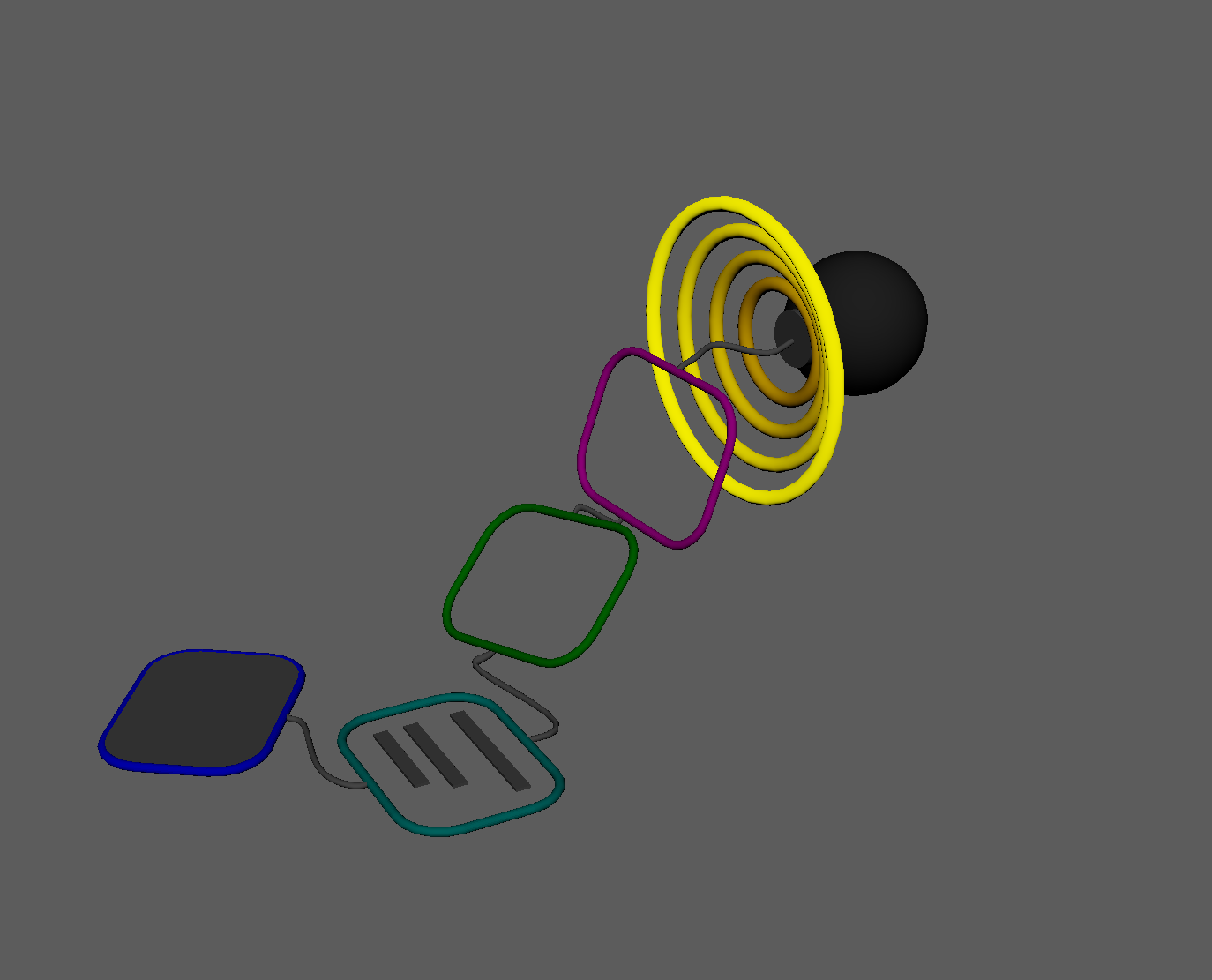
Modules referenced in this chapter:
_rig_data
_init
_import_skeleton
_import_geometry
_load_skin
_load_shapes
_finalize
In the last chapter, I described the ComponentBase Abstract Base Class, which would be inherited by the rig components in the system.
Then I described the ComponentCollection and how it maintains a list of component CLASSES it imports from the components.lib directory.
I also described the ComponentProcessor, which holds INSTANCES of the classes from ComponentCollection in a depth-first hierarchy that constitutes the rig description.
Now I’ll talk about some of the simpler components in the library. These components inherit from the ComponentBase abstract class.
‘Meta’ components
_rig_data
The RigData component is a data-only component that holds file paths and other strings relevant to the current rig. It’s designed to be the very first component in a Rig Description and lay out basic information that will be used during the build process by subsequent components.
import traceback
from ..base import ComponentBase


class RigData(ComponentBase):
    def __init__(self):
        super().__init__()
        self.register_parameter("character_name", type_=str)
        self.register_parameter("character_id", type_=str)
        self.register_parameter("rig_path", type_=str)
        self.register_parameter("skeleton_file", type_=str)
        self.register_parameter("geo_file", type_=str)
        self.register_parameter("shape_file", type_=str)
        self.register_parameter("space_file", type_=str)
        self.register_parameter("skin_dir", type_=str)

    @property
    def _component_name(self) -> str:
        """Return User-facing name of the component"""
        return "Rig Data"

    @property
    def _component_description(self) -> str:
        """Return User-facing information of the component"""
        return "Setup for rig name and file paths"

  def _build(self, *args) -> None:
        """run component"""
        pass
RigData subclasses from ComponentBase, and re-implements the abstract methods:
- _component_name (and we just return the user-facing name of the component, as the docstring states)
- _component_description (and just like the component name, we return a nice descriptive string for the UI)
- _build(), which doesn’t actually build anything. It uses the pass keyword to signify doing nothing, but since it shouldn’t throw an exception, the build() method in ComponentBase will still return True and the build process will continue.
The init() method registers the parameters for RigData (and in this case, they’re all strings to be referenced in other components).
The public build() method in ComponentBase will still call the empty “private” _build() method. Adding the underscore is a convention for indicating a method is private, but functionally doesn’t force the scope of the method. The public build() method will still do the following:
- try/except so that each component handles its own errors but gets stored for lookup when we debug it later.
- Return True on success and False on failure
- The traceback module from Python’s standard library lets us save a nicely formatted stack trace from any exceptions in the component’s _result property.
_init
Next is the InitRig component. It does three things:
- Force a new Maya scene. We don’t want to start building a rig on top of any existing objects in Maya.
- Force the scene to the desired units for your pipeline. For my purposes, the default time units will be NTSC (30 fps), and the default linear units will be centimeters (to be consistent with Maya’s internal units). This is done implicitly by the optionVars listed below.
- Create the Hub node in the scene with the Hub class. The Hub node is an empty transform node at the origin with some additional attributes and the transform channels locked.
- Setting the current time and linear units in the scene when the rig is being built could work, but in an Art pipeline, I also like to have all users’ units set to the default when they start up Maya. Usually, I’ll have their Maya startup scripts run these optionVars to ensure when they create a new file with File/New (ctrl-n) or load an existing file, units remain consistent. These optionVar commands in a userSetup.py file will set the user’s default units for their workspace.
cmds.optionVar(stringValue=['workingUnitLinearDefault', 'cm'])
cmds.optionVar(stringValue=['workingUnitTimeDefault', 'ntsc'])
cmds.optionVar(stringValue=['defaultFileSaveType', 'mayaAscii'])
We’re also going to promote the output of the Hub class to the output parameter named “hub”. The value type of the hub output parameter is the Hub class wrapper, Hub, so we use the set_output method to assign it.
import traceback
import maya.cmds as cmds

from CATS.classes.hub import Hub, HubNodeType
from ..base import ComponentBase


class InitRig(ComponentBase):
    def __init__(self):
        super().__init__()
        self.register_parameter("character_name",
                                type_=str,
                                default="{RigData.character_name}")
        self.register_parameter("hub_name", type_=str, default="{character_name}")
        self.register_parameter("new_scene", type_=bool, default=True)

        self.register_output("hub", type_=Hub)

    @property
    def _component_name(self) -> str:
        """Return User-facing name of the component"""
        return "Initialize Rig"

    @property
    def _component_description(self) -> str:
        """Return User-facing information of the component"""
        return "Initialize Scene and create rig Hub"

  def _build(self, *args) -> None:
        """run component"""
        if self.get_value('new_scene'):
            cmds.file(new=True, force=True)

        hub = Hub.create(self.get_value('character_name'))
        # self.set_value('hub', pathname(hub.node))
        self.set_output('hub', hub)
We register 3 parameters in the class’s __init__() method: character_name, hub_name, and new_scene.
- character_name: the default value for this parameter links directly from the RigData component’s character_name parameter. If the RigData component is set up correctly, this field on the InitRig component can remain None and use the existing value from RigData.
- hub_name: just like with character_name, the hub_name default value links to this component’s character_name parameter. So if RigData.character_name is set to “MyCharacter”, the resolved default values for InitRig.character_name and InitRig.hub_name will also be “MyCharacter”.
- new_scene: a boolean flag to set whether the component forces a new Maya scene during the build.
As with RigData, InitRig re-implements the three abstract methods from ComponentBase.
_import_skeleton
I’ve built and worked with rigging systems that took greater control of the rig’s layout, and let you build and position custom guides upon which the rig’s joints and controls will be aligned to. This project’s layout is currently just a plain old maya joint skeleton. It doesn’t have fancy automatic alignment or include special custom metadata, but it does allow the rigger to use Maya’s existing joint tools to create and set up the skeleton without external dependencies. It also allows for repurposing existing skeletons back into the system as guides for subsequent rigs. It does, however, rely on the rigger to maintain a clean and pre-built skeleton Maya scene.
class ImportSkeleton(ComponentBase):
    def __init__(self):
        super().__init__()
        self.register_parameter("hub", type_=str, default="{InitRig.hub}")
        self.register_parameter("skeleton_file",
                                type_=str,
                                default="{RigData.skeleton_file}")
        self.register_parameter("skeleton_root", type_=str, default="jnt_c_root")

        self.register_action("Save Skeleton",
                            action=self.save_skeleton,
                            arguments=[])

    @property
    def _component_name(self) -> str:
        """Return User-facing name of the component"""
        return "Import Skeleton"

    @property
    def _component_description(self) -> str:
        """Return User-facing information of the component"""
        return "Import layout skeleton and connect to Hub"

    def _build(self, *args) -> None:
        """run component"""
        skeleton_path = self.get_value('skeleton_file')
        if os.path.exists(skeleton_path):
            cmds.file(skeleton_path,
                      i=True,
                      renameAll=False,
                      renamingPrefix="",
                      defaultNamespace=True)
        else:
            Logger().error(f"ImportSkeleton: file {skeleton_path} file not found")

        skel_root = self.get_value('skeleton_root')
        if not cmds.objExists(skel_root):
            Logger().error(f"ImportSkeleton: skeleton root {skel_root} not found")

        skeleton = Skeleton(skel_root)
        hub = Hub(self.get_value('hub'))
        hub.add_node(skeleton.list(), node_type=HubNodeType.skeleton)

    def save_skeleton(self):
        confirm = QtWidgets.QMessageBox.warning(None,
                  'WARNING',
                  'This will save the skeleton to the specified file.\n\n'+
                  'Select all joints to be saved.\n\n'+
                  'Are you sure you want to continue?',
                  buttons=QtWidgets.QMessageBox.Yes | QtWidgets.QMessageBox.No,
                  defaultButton=QtWidgets.QMessageBox.No)
        if confirm != QtWidgets.QMessageBox.Yes:
            return False

        selected = cmds.ls(selection=True)
        if not selected:
            Logger().error(f"ExportSkeleton: No joints selected")
            return False

        skeleton_path = self.get_value('skeleton_file')
        export_type = ('mayaAscii' if skeleton_path.lower().endswith('.ma')
                      else 'mayaBinary')
        skeleton_dir = os.path.dirname(skeleton_path)
        if not os.path.exists(skeleton_dir):
            os.makedirs(skeleton_dir)

        cmds.file(skeleton_path,
                  exportSelected=True,
                  prompt=False,
                  type=export_type,
                  force=True,
                  channels=False,
                  constraints=False,
                  constructionHistory=False)

        return True
As with InitRig, ImportSkeleton re-implements the ComponentBase‘s abstract methods, and the init method registers the parameters. The hub and skeleton_file parameters link to other components by default. The third parameter is the name of the expected root joint of the skeleton.
Even though the rig’s layout skeleton is just a hierarchy of Maya joints, and Maya does include some tools for creating and aligning joints, I intend to build a small companion utility panel that will allow riggers to create, position, orient, and mirror the joints, set up joint names, and export the skeleton to the correct file.
I added a “Save Skeleton” action in the component, which provides a button in the UI to export selected joints to a Maya file at the skeleton_file parameter path.
_import_geometry
Similar to LoadSkeleton, LoadGeometry imports a rig’s mesh from a separate, clean, source file.
Just like in RigData and InitRig, we re-implement the abstract methods, register parameters, and do our business of importing the character model from the specified Maya scene in the _build() method. We’re adding an output parameter to pass the names of the imported meshes on to subsequent components in the rig description.
import traceback
import os

import maya.cmds as cmds

from ..base import ComponentBase
from ...core.logging import Logger
from ...core.node import get_shape_transform


class ImportGeometry(ComponentBase):
    def __init__(self):
        super().__init__()
        self.register_parameter("hub", type_=str, default="{InitRig.hub}")
        self.register_parameter("geo_file",
                                type_=str,
                                default="{RigData.skin_dir}")

        self.register_output("meshes", type_=list)

    @property
    def _component_name(self) -> str:
        """Return User-facing name of the component"""
        return "Load Geometry"

    @property
    def _component_description(self) -> str:
        """Return User-facing information of the component"""
        return "Import meshes for a rig"

    def _build(self, *args) -> None:
        """run component"""
        geo_file = self.get_value('geo_file')

        contents_pre_import = cmds.ls()
        if os.path.exists(geo_file):
            cmds.file(geo_file,
                      i=True,
                      renameAll=False,
                      renamingPrefix="",
                      defaultNamespace=True)
        else:
            Logger().error(
              f"ImportGeometry: file {geo_file} file not found")

        contents_post_import = cmds.ls(type='mesh', noIntermediate=True)
        imported_meshes = (list(set(contents_post_import) -
                           set(contents_pre_import)))

        if len(imported_meshes) == 0:
            raise RuntimeError(f"ImportGeometry: No meshes imported")

        # return the transforms of the imported meshes
        imported_nodes = [get_shape_transform(mesh)
                          for mesh in imported_meshes]
        self.set_output("meshes", imported_nodes)
_load_skin
- The LoadSkin component will take the names of the meshes imported by LoadGeometry
- For each mesh, it will look for a corresponding weights file in the “skin_dir” defined in RigData and linked in the LoadSkin component
- The component will attempt a 1:1 vertex-level import of the weight file for each mesh.
- Additional tools need to be created to help with the weight process and output of skinning information files to the skin_dir directory.
- There is a Skin class in the classes subpackage for skin weights. We wrap the class around a mesh and can save and load weights using API 2.0 to a json file.
- In its current form, the Skin class only loads weights correctly if the data exactly fits the target mesh – number of vertices and vertex order. It can be expanded in the future to do approximations with a KDTree, or with wrap deformers, or something along those lines.
class LoadSkin(ComponentBase):
    def __init__(self):
        super().__init__()
        self.register_parameter("hub",
                                type_=str,
                                default="{InitRig.hub}")
        self.register_parameter("skin_dir",
                                type_=str,
                                default="{RigData.skin_dir}")
        self.register_parameter("meshes",
                                type_=list,
                                default="{ImportGeometry.meshes}")

        self.register_action("Save Skin", action=self.save_skin, arguments=[])

    @property
    def _component_name(self) -> str:
        """Return User-facing name of the component"""
        return "Load Skin"

    @property
    def _component_description(self) -> str:
        """Return User-facing information of the component"""
        return "Load saved skinCluster data and apply to rig geometry"

    def _build(self, *args) -> None:
        """run component"""
        for mesh in self.get_value("meshes"):
            skin_path = os.path.normpath(os.path.join(self.get_value("skin_dir"), mesh) + '.json')
            if os.path.exists(skin_path):
                Logger().debug(f"loading skinning for '{mesh}' from: {skin_path}")
                skin = Skin(mesh)
                skin.load_weights(skin_path)
            else:
                Logger().warning(
                    f"Missing weights file for '{mesh}': [{skin_path}]")

    def save_skin(self) -> bool:
        """save skin weights"""
        confirm = QtWidgets.QMessageBox.question(
                      None,
                      'Save Skins',
                      ('This will save all skins.\n\n'+
                      Are you sure you want to continue?'),
                      buttons=QtWidgets.QMessageBox.Yes | QtWidgets.QMessageBox.No,
                      defaultButton=QtWidgets.QMessageBox.No)
        if confirm != QtWidgets.QMessageBox.Yes:
            return False

        for mesh in self.get_value("meshes"):
            skin_path = os.path.normpath(
                            os.path.join(self.get_value("skin_dir"),
                                         mesh) + '.json')
            skin = Skin(mesh)
            skin.save_weights(skin_path)

        return True
The component includes an action to save out the skin file(s) for this rig. The save functionality is rudimentary, and could use some additional options in later development. The action tells the UI to create a button that runs the specified Callable (method, function, lambda, etc) when clicked.
On to the Skin class that the component uses.
import json
import os

import maya.cmds as cmds
import maya.api.OpenMaya as om2
import maya.api.OpenMayaAnim as oma

from ..core.node import mobject, pathname


class Skin(object):
    def __init__(self, node: om2.MObject | str) -> None:
        self.node = self.get_node(node)
        self.mesh = self.get_mesh(self.node)
        self.mesh_dag = self.get_mesh_dag(self.mesh)
        self.skincluster = self.get_skincluster(self.mesh)
In the init method, we’re populating the class’s properties from the object passed to it.
- self.node is the transform as an MObject
- self.mesh is the shape node as a MObject
- self.mesh_dag is self.mesh as a MDagPath object
- self.skincluster is the skincluster on the mesh, as a OpenMayaAnim.MFnSkinCluster function set.
get_node() takes the transform or shape as an argument but returns the transform.
   def get_node(self, node: om2.MObject | str) -> om2.MObject:
        """get MObject for the transform of this mesh"""
        obj = mobject(node)
        if obj.hasFn(om2.MFn.kTransform):
            return obj
        if obj.hasFn(om2.MFn.kMesh):
            mesh_dag = om2.MDagPath().getAPathTo(obj)
            return mesh_dag.transform()
        raise RuntimeError(f'Skin.get_node({node}) [{type(node)}] not implemented')
get_mesh() finds the first mesh shape under the transform that does not have the intermediateObject flag set.
   def get_mesh(self, node: om2.MObject | str) -> om2.MObject | None:
        """get MObject for the shape node of this mesh"""
        obj = mobject(node)
        obj_dag = om2.MDagPath().getAPathTo(obj)

        shapes: list[om2.MObject] = []
        for index in range(obj_dag.childCount()):
            child = obj_dag.child(index)
            if (child.hasFn(om2.MFn.kMesh) and not
                  om2.MFnDependencyNode(child).findPlug('intermediateObject',
                                                        False).asBool()
                  ):
                shapes.append(child)

        if len(shapes) > 0:
            return shapes[0]

        return None
By the time we get to the get_mesh_dag() method, we should already have the mesh’s MObject, so it’s pretty simple.
    def get_mesh_dag(self, mesh: om2.MObject | str) -> om2.MDagPath:
        """return the MDagPath of the mesh's shape node"""
        return om2.MDagPath().getAPathTo(mobject(mesh))
Finding the skinCluster using the API uses the Dependency Graph iterator to search through the mesh’s DG history one node at a time until it finds a node that passes the kSkinClusterFilter.
The MFnSkinCluster function set is contained in the OpenMayaAnim module instead of the OpenMaya module.
    def get_skincluster(self,
                        mesh: om2.MObject | str) -> oma.MFnSkinCluster | None:
        """
        find the mesh's skinCluster node
        and return the MFnSkinCluster function set
        """
        dg_iterator = om2.MItDependencyGraph(mobject(mesh),
                                             om2.MFn.kSkinClusterFilter,
                                             om2.MItDependencyGraph.kUpstream)
        while not dg_iterator.isDone():
            current_item = dg_iterator.currentNode()
            if current_item.hasFn(om2.MFn.kSkinClusterFilter):
                return oma.MFnSkinCluster(current_item)
            dg_iterator.next()

        return None
The Skin class contains a set of utility methods for getting various elements of data: skinCluster node name, vertex count, a list of influences.
   def get_name(self,
                obj: (om2.MObject | om2.MDagPath),
                full: bool = False) -> str:
        """returns the pathname of a node"""
        if full:
            return om2.MFnDagNode(obj).fullPathName()
        return om2.MFnDagNode(obj).name()

    @property
    def vertex_count(self) -> int:
        """mesh vertex count"""
        return om2.MItMeshVertex(self.mesh_dag).count()

    def get_influences(self) -> om2.MDagPathArray:
        """
        return an array of MDagPath objects
        for the influences of this skinCluster
        """
        if self.skincluster is None:
            raise RuntimeError('skincluster not set')
        return self.skincluster.influenceObjects()

    def get_points(self) -> om2.MPointArray:
        """return an array of mesh points (positions in object space)"""
        return om2.MFnMesh(self.mesh).getPoints()

    def get_skin_name(self) -> str:
        """returns the name of the skincluster node"""
        if self.skincluster is None:
            raise RuntimeError('skincluster not set')
        return om2.MFnDependencyNode(self.skincluster.object()).name()

    def get_components_object(self) -> om2.MObject | None:
        """create a MFnSingleIndexedComponent object for the mesh's vertices"""
        component_fn = om2.MFnSingleIndexedComponent()
        comp_obj = component_fn.create(om2.MFn.kMeshVertComponent)
        component_fn.addElements(range(self.vertex_count))
        return comp_obj
The API’s skinCluster object returns the skin’s weights as a giant MDoubleArray, where the first vertex’s weights for ALL of the skin’s influences will be flattened out, followed by the second vertex’s full influence array, and so on.
For example, if there are 10 vertices and 5 influences, the first 5 elements of the array will be all 5 influences included in the skin, whether they have any non-zero weight values or not. Then the 5 influences for the second vertex, until the array has 50 float values.
   def get_weights(self) -> tuple[om2.MDoubleArray, int]:
        """
        returns the weight array of this skinCluster,
        size should be (vertex_count * influence_count)
        """
        if self.skincluster is None:
            raise RuntimeError('skincluster not set')

        comp_obj = self.get_components_object()
        weight_data = self.skincluster.getWeights(self.mesh_dag, comp_obj)
        return weight_data
In this format_data() method, I take the raw output of the skinCluster.getWeights() method with all of its mostly zero values and compress it so that only the non-zero values are saved to my data file.
    def format_data(self,
                   weight_data: tuple[om2.MDoubleArray, int]
        ) -> dict[int, dict[str, float]]:
        """
        condense raw output from MFnSkinCluster.getWeights to only
        influences with weight values
        """
        # weight_data is a flattened list in the format:
        # [ [0..inf_count - 1],
        # [inf_count..inf_count * 2 - 1],
        # [inf_count*2..inf_count * 3 - 1], etc]
        influences = self.get_influences()
        inf_table = [i.partialPathName() for i in influences]
        inf_count = len(influences)

        data = {'influences': inf_table}
        for v in range(self.vertex_count):
            raw_datum = [weight_data[0][(v * inf_count) + i]
                         for i in range(inf_count)]
            nonzero_datum = {}
            for i, d in enumerate(raw_datum):
                if d > 0.0:
                    nonzero_datum[inf_table[i]] = d
            data[v] = nonzero_datum

        return data
When loading the weights back into the mesh, I reverse the compression and rebuild the full MDoubleArray that the skinCluster.setWeights expects.
   def apply_weights(self, data: dict[int, dict[str, float]]):
        """apply weight data to this mesh"""
        influences = data.pop('influences')

        if not self.skincluster:
            # new skinCluster
            inf_table = influences
            skin_name = cmds.skinCluster(*influences,
                                         pathname(self.mesh),
                                         toSelectedBones=True,
                                         skinMethod=0)
            self.skincluster = self.get_skincluster(self.mesh)
            inf_count = len(influences)

        else:
            # merge with existing skinCluster
            sc_name = self.get_skin_name()
            inf_table = [i.partialPathName() for i in self.get_influences()]
            new_infs = list(set(influences) - set(inf_table))
            for inf in new_infs:
                cmds.skinCluster(sc_name, addInfluence=inf)

            inf_table = [i.partialPathName() for i in self.get_influences()]
            inf_count = len(inf_table)

        # build skin weights array
        skin_data = [0.0] * (inf_count * self.vertex_count)
        for v,wts in data.items():
            for inf, val in wts.items():
                if inf in inf_table:
                    inf_index = inf_table.index(inf)
                    v_idx = (int(v) * inf_count) + inf_index
                    skin_data[v_idx] = val

        comp_obj = self.get_components_object()
        skin_data_array = om2.MDoubleArray(skin_data)
        all_indices = om2.MIntArray(range(inf_count))

        self.skincluster.setWeights(self.mesh_dag,
                                    comp_obj,
                                    all_indices,
                                    skin_data_array)
For completeness, here are the load and save methods in the Skin class. save_weights() takes the data as an argument (so I’m calling get_weights(), then format_data(), then save_weights() on the data to save the json weight files) but load_weights() includes the apply_weights() call. This seems inconsistent, doesn’t it? I think the best way to solve this is to separate concerns – create a method that ONLY loads the json, and another method that applies it (apply_weights()), and a third that will wrap those two.
   def save_weights(self,
                    data: dict[int, dict[str, float]],
                    data_path: str) -> None:
        """export weight data to specified json file"""
        if not os.path.exists(os.path.dirname(data_path)):
            os.makedirs(os.path.dirname(data_path))

        with open(data_path, 'w') as f:
            json.dump(data, f, indent=4)

    def load_weights(self, data_path: str) -> None:
        """import weight data from specified json file and apply it to this mesh"""
        if not os.path.exists(data_path):
            raise FileNotFoundError(f'{data_path} does not exist')

        with open(data_path, 'r') as f:
            data = json.load(f)
            self.apply_weights(data)
Here’s a version where I’ve separated and/or combined the save/load methods into a more consistent structure.
    def _save_weights(self,
                      data: dict[int, dict[str, float]],
                      data_path: str) -> None:
        """export weight data to specified json file"""
        if not os.path.exists(os.path.dirname(data_path)):
            os.makedirs(os.path.dirname(data_path))

        with open(data_path, 'w') as f:
            json.dump(data, f, indent=4)

    def save_weights(self, data_path: str) -> None:
        """export weight data to specified json file"""
        raw_data = self.get_weights()
        formatted_data = self.format_data(raw_data)
        self._save_weights(formatted_data, data_path)

    def _load_weights(self, data_path: str) -> dict[int, dict[str, float]]:
        """import weight data from specified json file and apply it to this mesh"""
        if not os.path.exists(data_path):
            raise FileNotFoundError(f'{data_path} does not exist')

        with open(data_path, 'r') as f:
            data = json.load(f)

        return data

    def load_weights(self, data_path: str) -> None:
        """import weight data from specified json file and apply it to this mesh"""
        data = self._load_weights(data_path)
        self.apply_weights(data)
_load_shapes
The load_shapes component has at its core the serialization/deserialization functionality from the Shape class. I created a set of 12 default control shapes in Maya, serialized them with the Shape class, and saved them to JSON files in the data/shapes directory.
When the rig components are built, they use those default shapes with some rough scaling to get the approximate size of the controls they are connected to. But the character topologies are going to have different dimensions, and animators will want control shapes that they can easily see and that aren’t buried under a thicker character’s geometry.
Here we’re going to combine any edited or colorized shapes into a single JSON file to be applied over the rig controls after the main rig components have been built.
The individual data files for the default template shapes looks like this:
{
    "form": 1,
    "degree": 1,
    "spans": 8,
    "knots": [
        0.0,
        1.0,
        2.0,
        3.0,
        4.0,
        5.0,
        6.0,
        7.0,
        8.0
    ],
    "cv": [
        {
            "index": 0,
            "wpos": [
                -0.5,
                0.0,
                0.0
            ],
            "lpos": [
                -0.5,
                0.0,
                0.0
            ]
        },
...
The serialize and deserialize methods in the Shape class are pretty straightforward as well:
   def _serialize(self):
        """serialize shape data"""
        shape = self.get_shape()
        shape_dict = {}
        if shape and (cmds.objectType(shape, isAType='nurbsCurve')):
            curve_mobject = mobject(shape)
            curve_fn = om2.MFnNurbsCurve(curve_mobject)
            knots = curve_fn.knots()
            shape_dict['form'] = curve_fn.form
            shape_dict['degree'] = curve_fn.degree
            shape_dict['spans'] = curve_fn.numSpans
            shape_dict['knots'] = list(knots)
            shape_dict['cv'] = []

            for cv in (cmds.ls((shape + '.cv[*]'), flatten=True)):
                wpos = cmds.xform(cv, q=1, ws=1, t=1)
                lpos = cmds.xform(cv, q=1, ws=0, t=1)
                idx = cv.split('[')[1].strip(']')
                shape_dict['cv'].append({'index': int(idx),
                                         'wpos': wpos,
                                         'lpos': lpos})

        return shape_dict

   def _build(self,
              shape_data: dict,
              shape_color: typing.Tuple[float,float,float] = (0.0, 0.0, 0.5),
              world: bool = True):
        """create shape node from shape_data"""
        if shape_data:
            existing = cmds.listRelatives(self.name,
                                          children=True,
                                          type='nurbsCurve')
            if existing is not None:
                cmds.delete(existing)

            # build shape
            cv_cnt = len(shape_data.get('cv', []))
            degree = shape_data.get('degree')
            form = shape_data.get('form')

            points = [om2.MPoint()] * cv_cnt
            for cv in shape_data.get('cv', []):
                idx = cv['index']
                if world:
                    pos = cv.get('wpos', cv.get('pos'))
                else:
                    pos = cv.get('lpos')
                points[idx] = om2.MPoint(pos)

            cmds.select(clear=True)

            knots = shape_data.get('knots', [])
            mfn_curve = om2.MFnNurbsCurve()
            # cvs, knots, degree, form, is2D, rational, parent=kNullObj
            mfn_curve.create(points,
                             knots,
                             degree,
                             form,
                             False,
                             False,
                             parent=self.node)
            self.set_shape_color(shape_color)
            self.fix_shape_names(pathname(self.node))

            cmds.select(clear=True)
The LoadShapes component should load a serialized file with the shape cvs and colors previously saved out. There will eventually be a tool for quickly saving and manipulating the control curves, so riggers only need to do the least amount of tweaks to get the default shapes into a releasable state.
import os
import traceback

from ..base import ComponentBase
from ...core.logging import Logger


class LoadShapes(ComponentBase):
    def __init__(self):
        super().__init__()
        self.register_parameter("hub", type_=str, default="{InitRig.hub}")
        self.register_parameter("shape_file",
                                type_=str,
                                default="{RigData.shape_file}")

        self.register_action("Save Shapes", action=self.save_shapes, arguments=[])

    @property
    def _component_name(self) -> str:
        """Return User-facing name of the component"""
        return "Load Shapes"

    @property
    def _component_description(self) -> str:
        """Return User-facing information of the component"""
        return "Load saved control shape data and apply to rig control shapes"

    def _build(self, *args) -> None:
        """run component"""
        Logger().debug(f"loading shapes from: {self.get_value('shape_file')}")

        hub = self.get_value('hub')
        shape_path = self.get_value('shape_file')
        Shape.load_shapes(hub, shape_path)
I put the load and save functions that deal with the json files in the Shape class as static methods. I want to have access to the save functionality outside of the LoadShapes class, so I didn’t want to put it in the rig component. Maybe I can transplant them later to their own shape utilities module.
   @staticmethod
    def save_shapes(hub: str, shape_path: str):
        data = []
        controls = Hub(hub).get_nodes(HubNodeType.controls)
        for control in controls:
            datum = {}
            shp = Shape(control)
            datum['node'] = control
            datum['data'] = shp.get_shape_data()
            datum['color'] = shp.get_shape_color()
            data.append(datum)

        with open(shape_path, 'w') as f:
            json.dump(data, f, indent=4)

    @staticmethod
    def load_shapes(hub: str, shape_path: str):
        if not os.path.exists(shape_path):
            return

        with open(shape_path, 'r') as f:
            data = json.load(f)

        controls = Hub(hub).get_nodes(HubNodeType.controls)
        for datum in data:
            node = datum.get('node')
            curve = datum.get('data')
            color = datum.get('color')
            if cmds.objExists(node) and node in controls:
                control = Shape(node)
                control._build(curve, world=False)
                if color is not None:
                    control.set_shape_color(color)
_finalize
The finalize component is currently a stub, to be appended at the end of the rig description. It’s intended for cleanup after the rig is built, and if there are any known tasks we want to make sure are taken care of before publishing the rig for animators.
Things we may add to the finalize component include:
- Re-parenting groups into a more streamlined hierarchy. Are the meshes at the scene root level? Do we want to nest them under a geometry group and nest that under the Hub group?
- Deleting anything that was used during rig construction but is not needed once the rig has been built. Did we leave construction guides in the scene that will clutter it up?
- Do we want to hide some controls by default?
- This might be a good place for locking transform channels on controls that don’t need the animator to be able to manipulate translation, rotation, or scale. Then again, we probably want to create a specialized component for this job.
Summary
The Components in this chapter are a necessary backbone to support the rest of the rigging process. From the RigData component that holds data for the rest of the components, or the shapes and skin components that load and save external sidecar data, they come in a multitude of flavors but still fit into similar packaging.
In the next chapter, we’ll take a look at one of the more complex and ubiquitous components in the rig: the Limb component.